Job Management on Mobile
2025
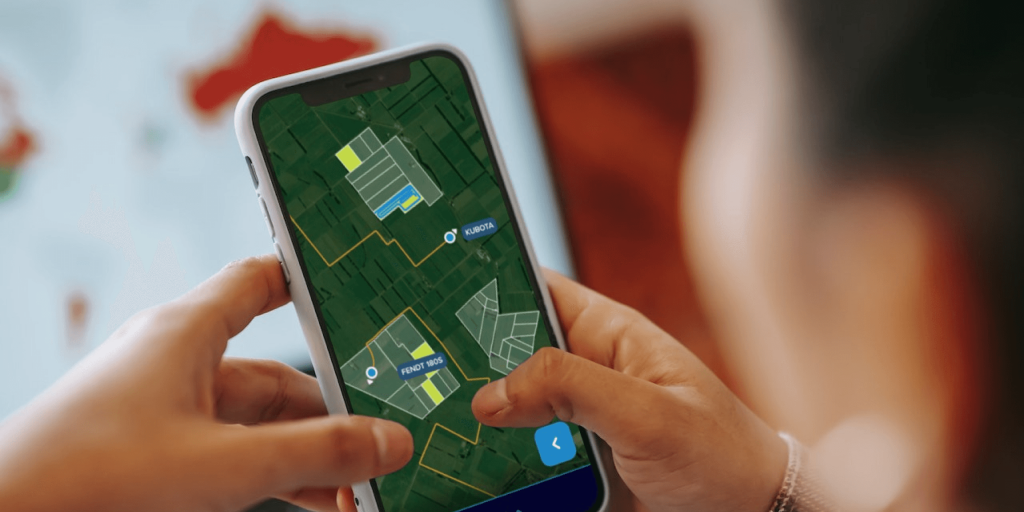
A mapping-first, mobile-first job management platform built for the next decade of agricultural work, designed to scale, delight, and empower everyday users and power contractors alike.
Context
Every young business has to move fast. In the early years all the tech energy goes into shipping features to land the next sale, and after enough pivots, one-offs, and quick fixes, the user experience starts to strain.
That messy, high-velocity phase is vital, and a little thrilling. But eventually the chance comes to put all that hard-won knowledge to work and redesign for the future, to build the software that can lead the company for the next ten years.
When that moment came for our core job management product, I jumped at it. Here's how I rethought the platform for a modern, mobile, increasingly tech-savvy agricultural sector.
My Role
I led this end-to-end as sole designer: research and synthesis, information architecture, and the interaction and visual design of every screen. The principles below are the calls I made to anchor the work.
Key Design Decisions
Drawing on years of real-world user feedback, I set a few foundational decisions:
- Mobile-first, mapping-first - The new generation of farmers and contractors are embracing digital tools. Designing for mobile from the start, with mapping as the default, created an experience that's at home in the field and just as powerful on desktop.
- Fat-finger friendly - Cramped UIs came up in every empathy interview. Every tap target, button, and list item is sized for big hands and fast action.
- Make the simple easy, the complex possible - Most users live in a few key workflows, so the platform stays clear and intuitive for the first 80% of tasks while keeping deep controls for power users (who, in ag, genuinely love complexity).
- Build to scale - Years of squeezing features into awkward spaces taught me to leave room for the future. New features and data types have clear, logical homes, cutting future technical debt.
- Responsive by default - Table stakes, but worth saying: every screen works seamlessly from phone to desktop.
Cue number-crunching, whiteboard scribbling, shower-wall sketches, and notebook brainstorming. Here's what emerged.
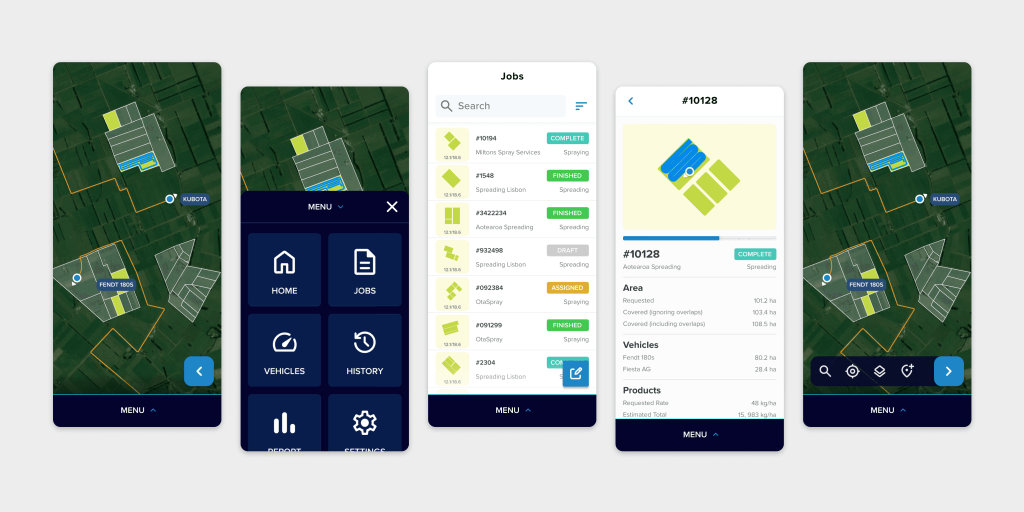
A mapping-first approach: users see their jobs, vehicles, and properties the moment they open the app.
The Rundown
Home View
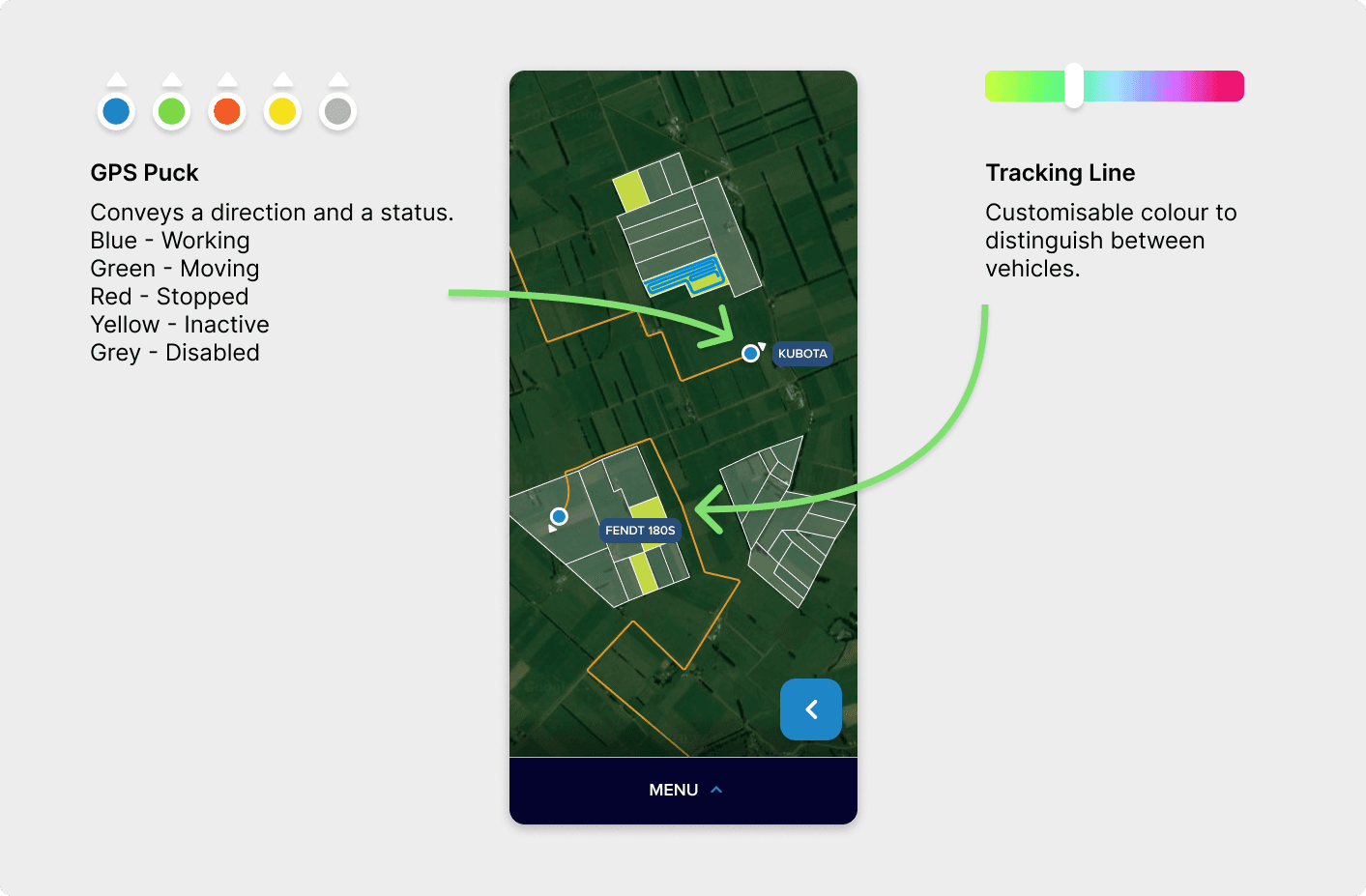
The new home screen puts actionable data and navigation front and centre. Jobs, maps, and notifications are a tap away.
Navigation
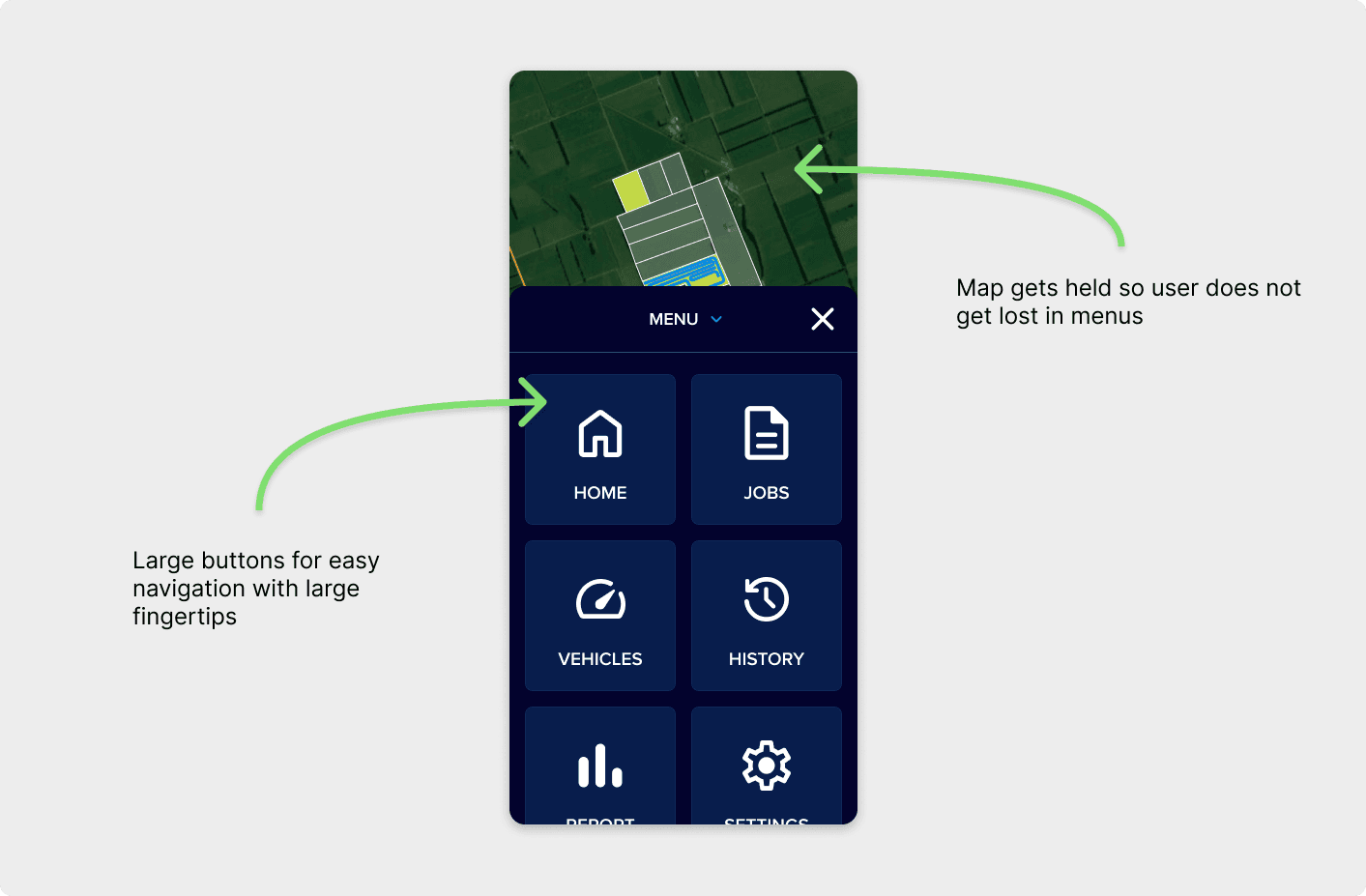
Intuitive bottom navigation, built for one-handed use, whether you're in a truck, on a quad, or at your desk.
Jobs List
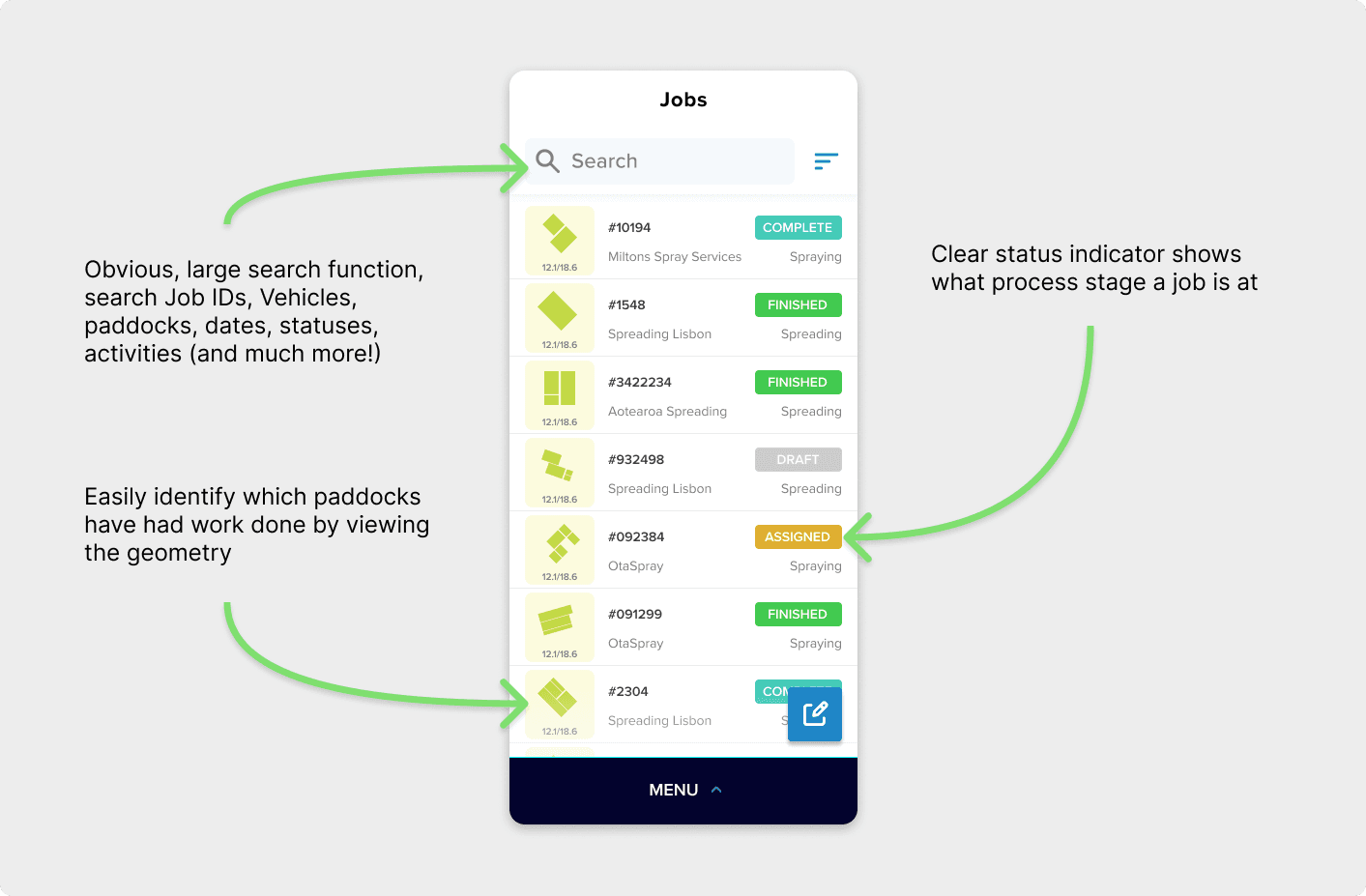
Job management at a glance: simple, scannable, and big-finger friendly, with advanced filters and sorting for power users who want them.
Job Summary
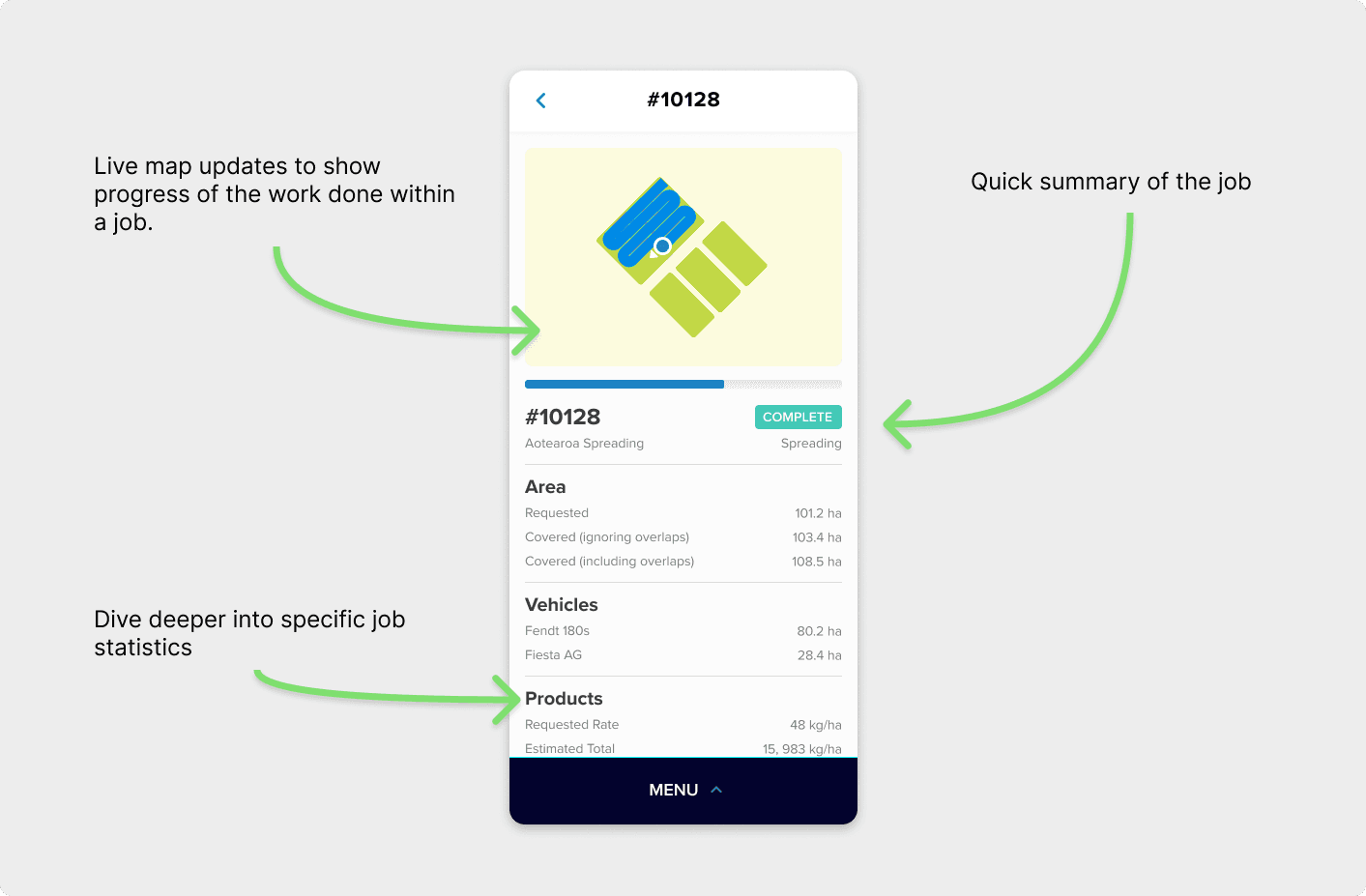
Clean summaries show just enough data for quick decisions, without overwhelming users in the field.
Map Interaction
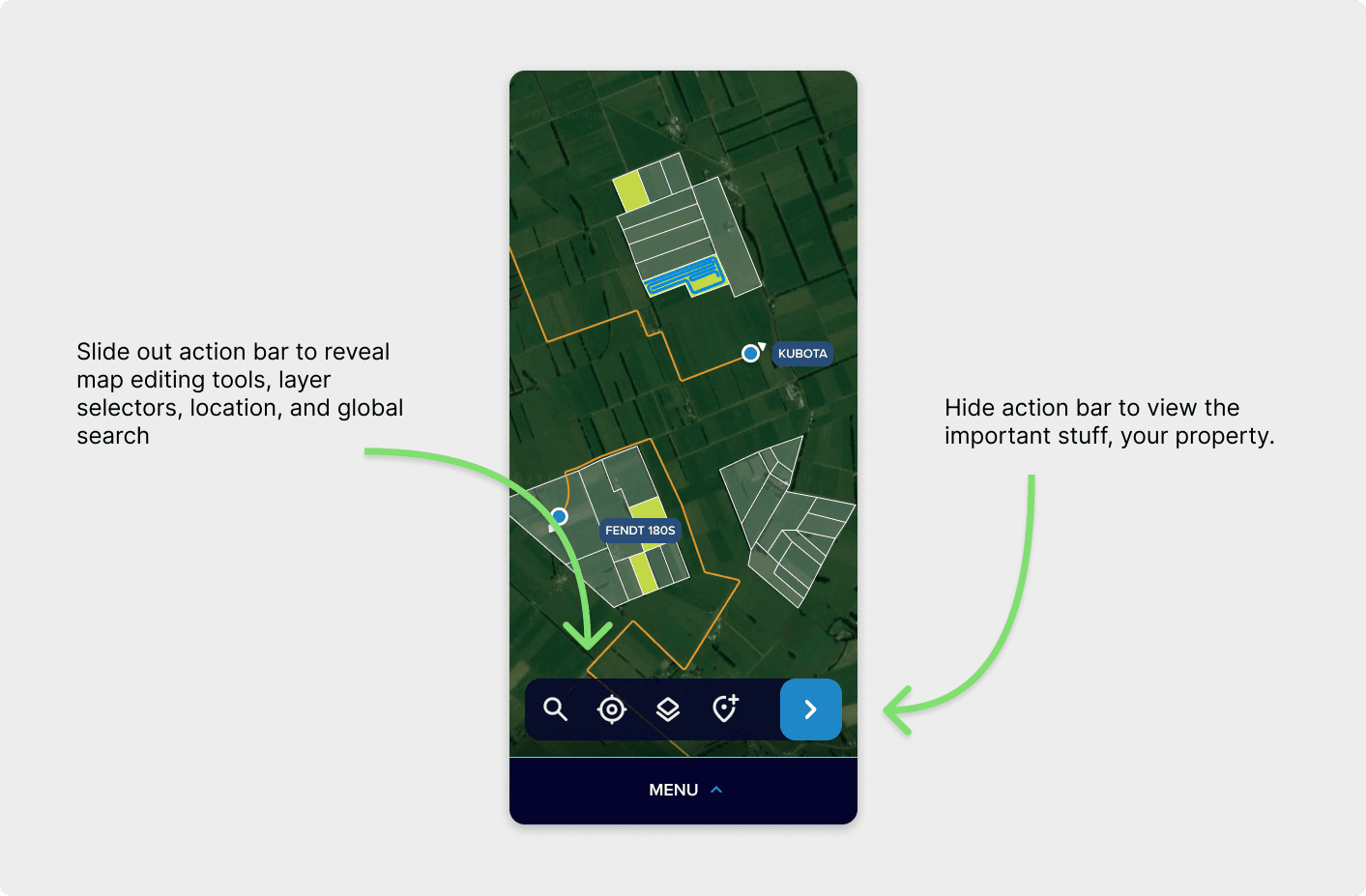
Interactive maps let users jump straight to jobs, assets, and properties, with touch-friendly controls built for clarity in any light.