/TODO
2026
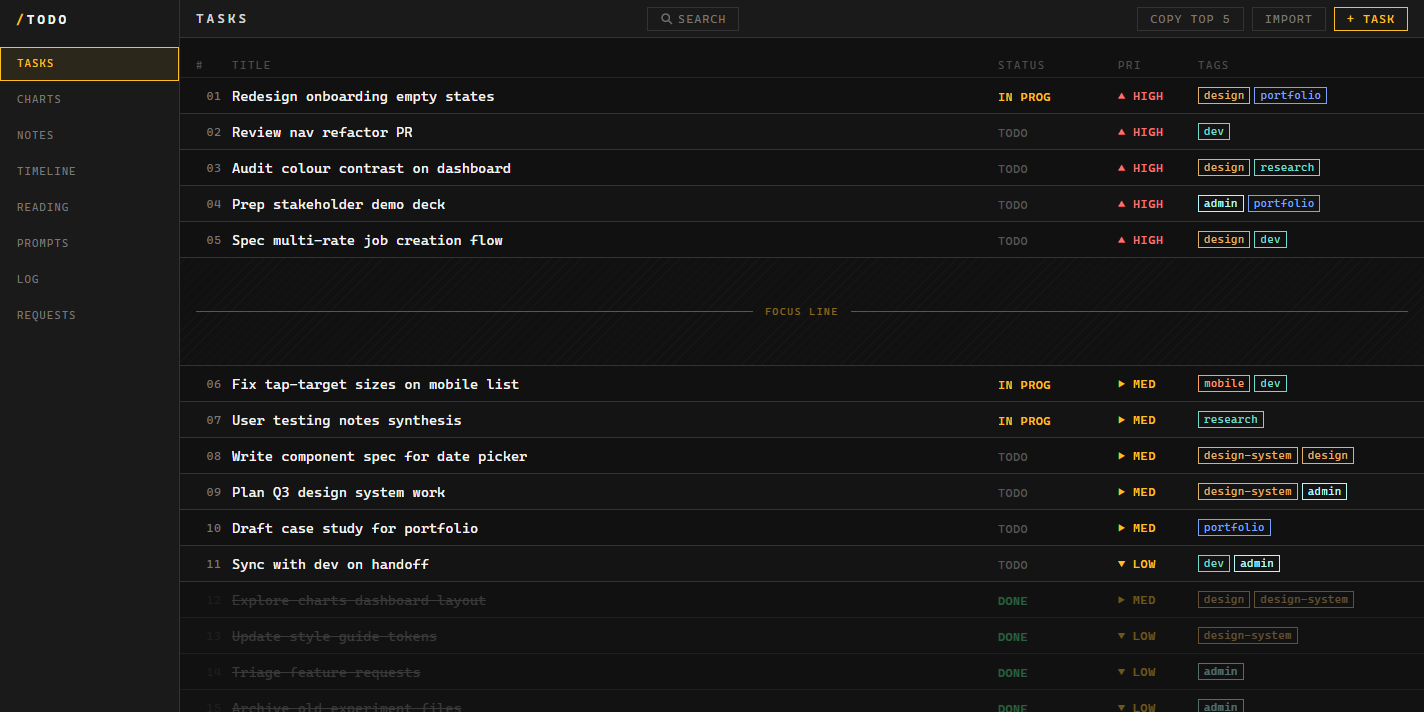
/TODO is a local-first desktop task manager I designed and built for myself, styled like a developer tool rather than another SaaS app. It exists to do one thing well: help me see and communicate my real priorities. Every task is a plain markdown file on my machine, there's no cloud and no account, and an AI assistant is baked in so I can ask about my work or add to it just by talking to it.
Context
I'll own the irony up front: a designer building a to-do app is the classic beginner project. But this one came from a real itch. I'd been living in Notion and watched it get slower and more bloated until I gave up and went back to a plain notepad file. The notepad was fast but dumb, and at some point I thought, I can probably do better than both.
What I actually needed wasn't more features. It was a tool that helped me communicate my priorities, to myself first, and to my team second. Everything grew out of that.
The MVP
The first version was deliberately small and built around how I actually work:
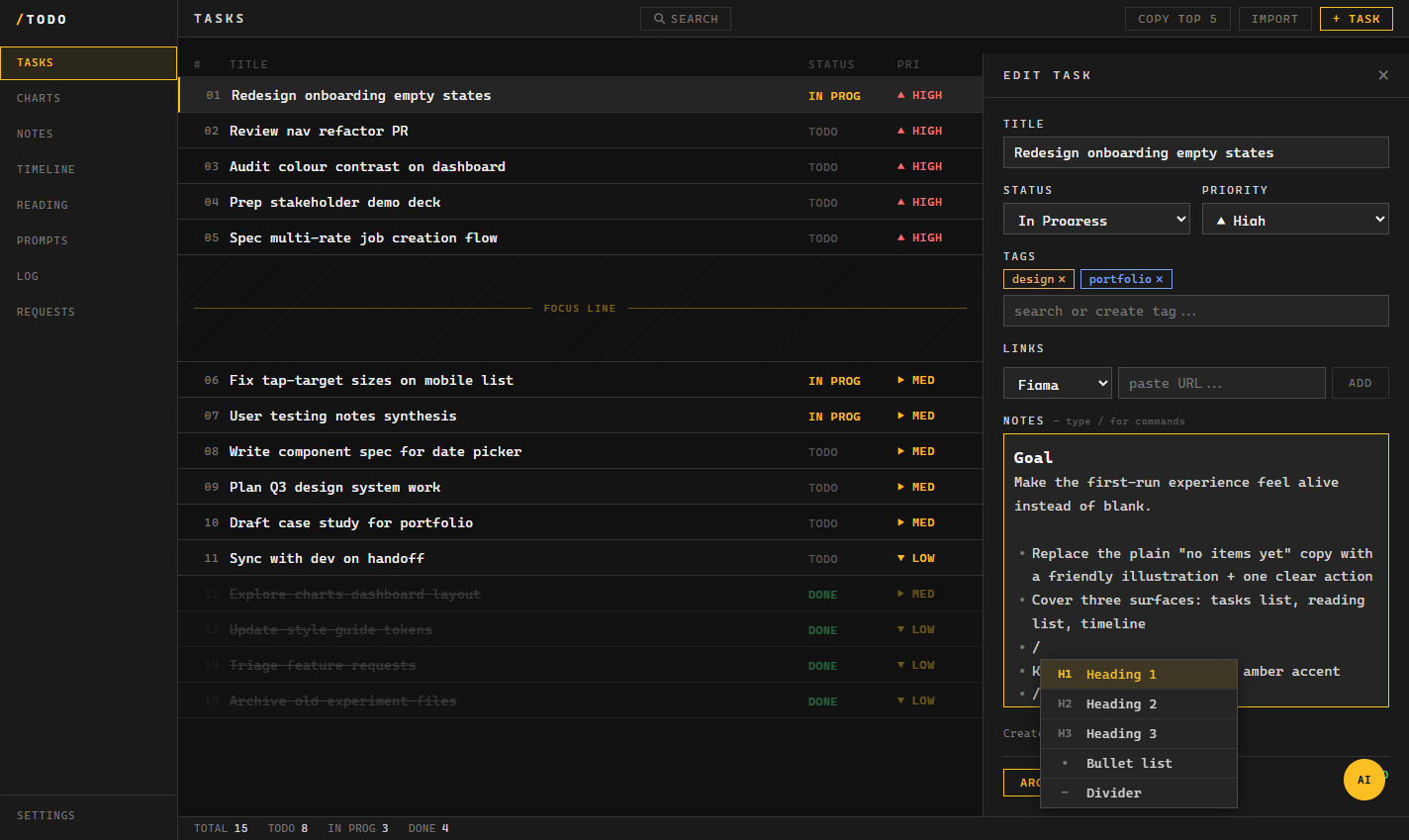
- Add on the fly. A batch import, so I can paste a brain-dump and have each line become a task, no friction.
- Copy my top five. One action to drop my top priorities straight into a Slack message or email, because that's how I share what I'm focused on.
- A visual focus line. A hard divider after the top five tasks. Past five priorities everything turns to mush anyway, so the app makes that line explicit instead of pretending all tasks are equal.
- AI built in. An assistant that can answer questions about my tasks and add or change content when I ask, so the list stays a conversation, not a chore.
How I built it
I designed and built this end-to-end, solo, pairing with Claude Code the same way I did on GeoPic. It actually started life as a web app. Once I was using it constantly I wanted it living on my toolbar like a proper app, so I wrapped it in Electron. The way it's built, the same code still runs both ways: a small web server runs inside the desktop app, so it works as a website and a desktop tool from one codebase. The whole front end is hand-written, no framework and no build step, which kept it fast and easy to reason about.
The data model is the part I'm happiest with: every task is a markdown file on disk. No database, no cloud, no account. It's mine, it's private, and it'll still open in any text editor in ten years. The app is keyboard-first throughout, with a quick-search palette so I can jump to anything instantly.
How it grew
Once the MVP earned its place in my day, it grew into a small work cockpit:
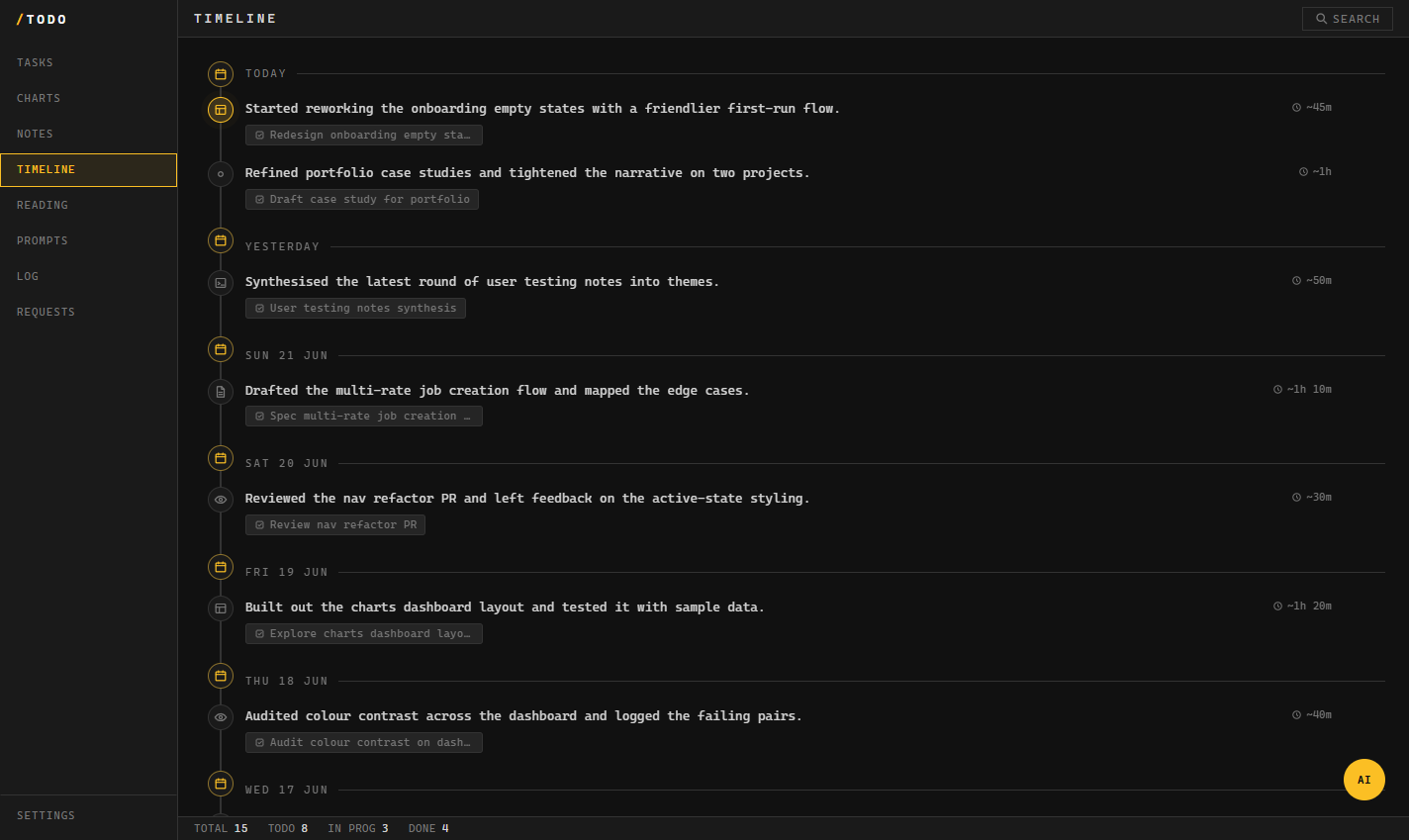
- A Timeline that syncs automatically from Claude Code. There's no "add entry" button. My AI assistant writes a log of what I worked on after each session, so I get an honest history of my work without lifting a finger.
- A reading list for things I've actually read and liked, where pasting a link pulls in the title for me.
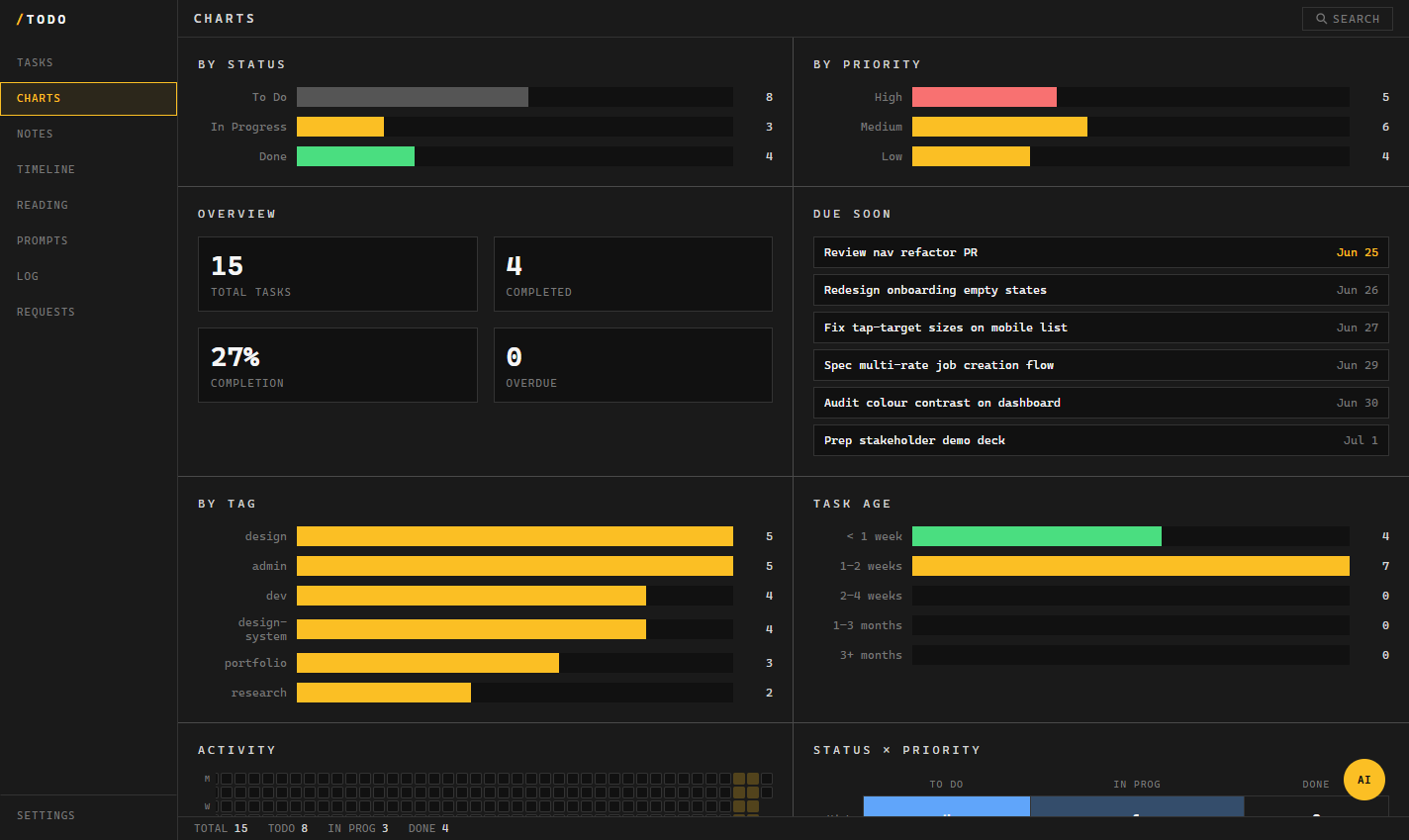
- Charts and stats, so I can spot the weeks where I dropped off, or notice when my work is leaning too hard in one direction.
- A colour theme picker, because why not.
Key decisions
- Files over a database. Plain markdown on disk made the app local, private, portable, and trivially backed up, at the cost of writing my own little storage layer.
- Opinionated, not flexible. The focus line and the top-five framing are deliberate constraints. I didn't want infinite lists and folders, I wanted a tool that forces a point of view about what matters.
- A developer-tool aesthetic. Dark, monospaced, dense, separated by thin lines rather than big empty space. It looks like the environment I work in, which is exactly the point.
- AI as a built-in collaborator, not a bolt-on. From the MVP it could read and edit my actual content, which is what makes it feel like a teammate rather than a gimmick.
Outcome
I use it every single day, and it's genuinely a game-changer for keeping my head straight: I open it, I see my five things, I share them, and I get on with it. Building it also taught me a huge amount, the data model, the build, and shipping a real desktop app I actually rely on rather than just another prototype. The "classic student project" turned out to be the most useful thing I've made for myself.