Screen Recorder
2026
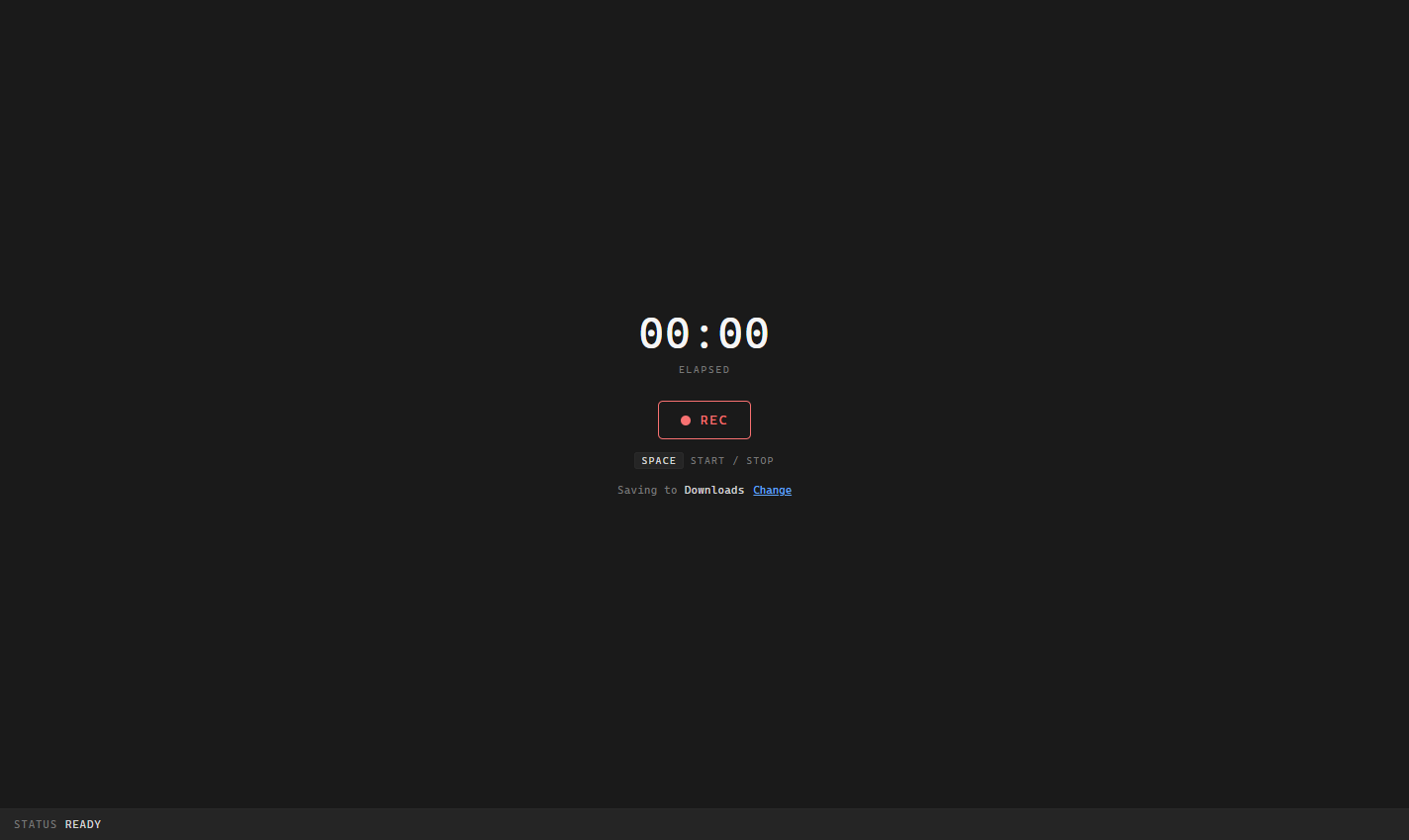
A dead-simple screen recorder I built for myself in about five minutes. One button, or the space bar, records my screen and the clip lands in my chosen folder as an MP4. No account, no upload, no editing suite, no features I'll never use.
Context
I'll be honest: this one has no real depth. It's here because it was so satisfying to build.
I'd been using the Windows Snipping Tool to record all my videos, demos and prototypes. One day it just started silently failing at around the 50-second mark. No error, no warning, nothing. Rather than sink time into diagnosing it, or learning a heavier screen recorder stuffed with features I don't need, I figured I'd try building my own. Claude reckoned it was less than 50 lines of code, and genuinely less than five minutes later the tool was done and I'd finished the recording I needed.
What It Does
- One button, or the space bar, to start and stop
- A live preview of what's being captured, and a running timer
- Saves straight to a folder I choose, and remembers it next time
- Auto-names each clip with a timestamp, and falls back to my Downloads folder if I haven't picked one
- Outputs MP4 so the clips just play on Windows, no conversion needed
How I Built It
It's deliberately tiny: a single web page, vanilla JavaScript, no framework and no build step. It uses the browser's own screen-capture and recording APIs to grab the screen and write the file, and the File System Access API to save into my chosen folder and remember it between sessions. It even notices when I stop sharing from Chrome's own bar and saves the clip anyway. I gave it the same dark, monospaced "instrument panel" look as my /TODO app, down to a little custom icon I generated in code: a graphite tile with a red record dot.
Why It's Here
It's a dumb tool, and that's the point. It's now part of my daily workflow. Building it meant I didn't have to debug the Snipping Tool or adopt something heavier with a learning curve and features I'd never touch. I had exactly what I needed, built to fit, in the time it would have taken to read a review of the alternatives. That's the thing AI changes: when the fix is smaller than the workaround, you just build the fix.